HDR Light Studio 9 Drop 2 released
FIND OUT MORE
Cinema 4D Plugin
Blender Addon
3ds Max Plugin
Maya Plugin
Rhino Plugin
Houdini Plugin
MODO Plugin Kit
Omniverse Plugin
Octane Standalone Plugin
SOLIDWORKS VISUALIZE Plugin
VRED Plugin
Unreal Engine Plugin
Patchwork 3D Plugin
DELTAGEN Plugin

Advanced Lighting for VRED | HDR Light Studio

Transform your VRED workflow with intuitive studio lighting tools and real-time HDRI editing

HDR Light Studio with VRED

How does HDR Light Studio work with VRED?


With your VRED model textured and camera positioned, you’re ready to light. Launch HDR Light Studio directly from VRED, load an HDRI to edit or start fresh, then add lights and see VRED update in real-time. Position lights by clicking the streamed VRED viewport or drag and drop in presets for instant results.

VRED Viewport Streaming into HDR Light Studio is a new feature in HDR Light Studio 9.2
Why Lighting Matters So Much


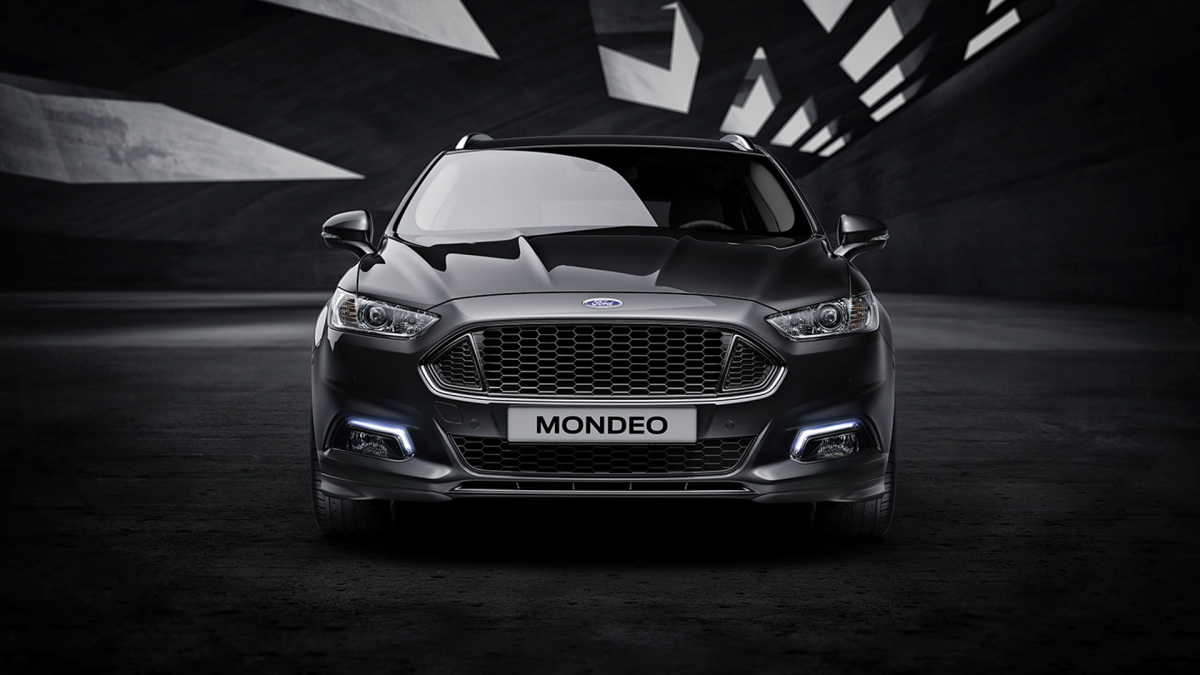
Professional lighting is vital throughout product development. During design and development, it reveals form and materials, helping teams evaluate concepts and make confident decisions. For marketing and launch, lighting goes further, creating striking imagery with mood and character that make products desirable. HDR Light Studio delivers the professional lighting tools and content to enhance visualization across the entire development process.

Elevating Your Lighting Workflow


While VRED provides capable lighting tools, the process can be time-intensive - as shown in this video. HDR Light Studio streamlines the workflow, letting you paint with light intuitively and interactively. When every camera angle demands perfectly tailored lighting, you can craft bespoke solutions quickly and creatively. It’s the natural next step for artists seeking faster, more responsive lighting control within their VRED projects.

Controlling Light Appearance


In automotive and product visualization, lighting is seen in reflection. Surfaces from mirror-like chrome to satin finishes are defined by what they reflect. The quality and character of those reflections can make or break an image. HDR Light Studio is a texturing system for light, offering procedural models, photographic captures, and the ability to mix both-giving complete control over how lights appear in reflections.

Realistic Lighting = Realistic Render


Create Studio Lighting


Build professional setups from scratch. Drag and drop lights, or click directly on your VRED model to position them precisely. Control size, color, intensity, and shape, all within the HDR Light Studio interface. Everything you need to light a shot is at your fingertips, helping you elevate your automotive and product shots to brochure ready perfection.

Edit Environment Maps


Load existing HDRI environment maps and gain complete control. Add, remove, or adjust lights within the environment. Fine-tune reflections, refine specific areas, and transform generic HDRIs into customized lighting. You can even blend multiple HDRI maps to create the perfect environment.

This technique works especially well when using backplate photographs with an HDRI environment.

Where HDR Light Studio Adds Most Value


VRED's exceptional rendering capabilities deserve equally exceptional lighting. For hero marketing shots, product configurators, and premium stills, HDR Light Studio gives you the precision control VRED's photoreal renderer deserves—perfecting every reflection, highlight, and shadow with pinpoint accuracy.

For animations and interactive experiences with moving cameras, lighting needs a more generalized approach. HDR Light Studio still provides full environmental control, adapting to your project's needs.


Compatibility

Compatibility

VRED 2025.2 and higher
Windows OS
HDR Light Studio Automotive license

Viewport Streaming requires HDR Light Studio 9 Drop 2 and higher

Installation

Installation Guide

Step-by-step instructions to install and configure the HDR Light Studio plugin for VRED.

Read Installation Guide
Workflow

Workflow Documentation

Learn the best practices and workflows for lighting your VRED scenes with HDR Light Studio.

View Workflow Docs
Video

Video Tutorials

Watch our comprehensive video tutorials showing HDR Light Studio integration with VRED in action.

Watch Tutorials

Want to Learn More?

Book a demo meeting with an HDR Light Studio expert. We can show you the workflow and answer any of your product questions.

Book a Demo

Already Convinced?

Purchase directly from our web shop, request a quotation, or buy through our authorized resellers.