

Blog
HDR Light Studio 9 Drop 5 released
Area Light Improvements
HDR Light Studio lets you design an HDRI map alongside a set of 3D Area Lights with HDR textures. The Area Lights are shown on the Canvas to help you place them in the scene, but they are not part of the HDRI map design itself.
Previously, Area Lights were composited into the Canvas based on their position in the Light List. Any light above an Area Light could obscure it or alter its colour and appearance. This only affected the Canvas - the actual lighting of the scene was never changed.
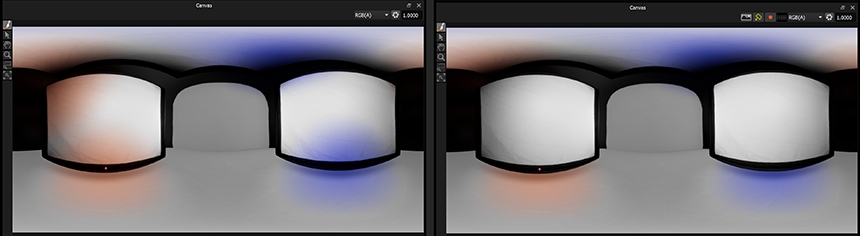
Left: Area Lights wrongly tinted by the lights above them | Right (9 Drop 5): Area Lights drawn correctly on top, whatever their Light List order.
In Drop 5, the Canvas now always draws Area Lights on top of the HDRI map design, regardless of Light List position. Draw order amongst the Area Lights themselves is set by their distance from the origin.
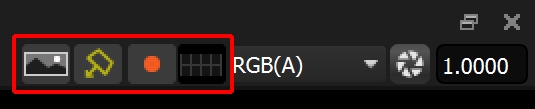
New buttons on the Canvas
New Display Toggle Buttons
New buttons above the Canvas let you show and hide the HDRI design and the Area Lights independently, so you can focus on one without the other getting in the way. Either way, both continue to light the shot. Additional buttons show and hide the Light Selection Handle and the Lat-Long Overlay Guide Lines. All are available from the Canvas menu in the top menu bar.
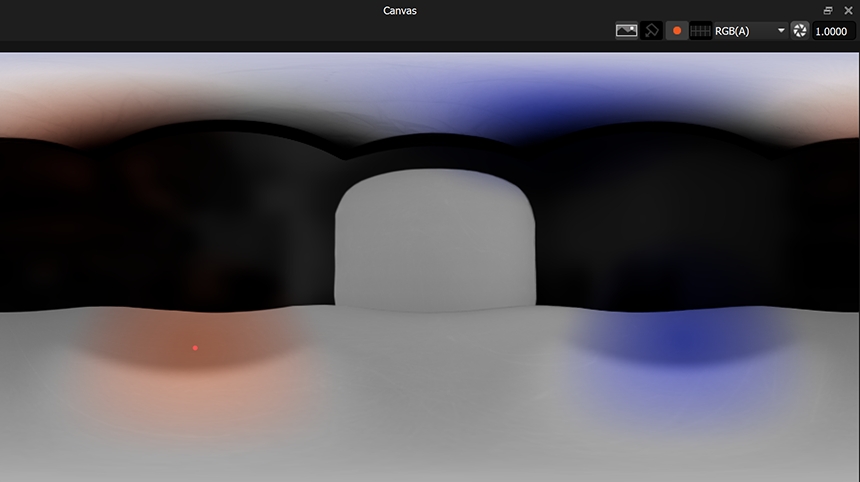
Area Lights hidden - only the HDRI map design is shown on the Canvas.
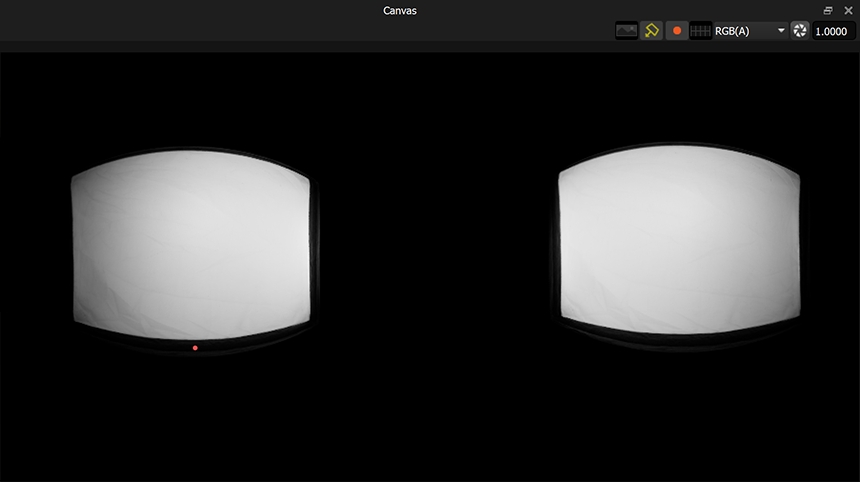
HDRI map design hidden - only the Area Lights are shown on the Canvas.
Improved Zoom Region Tool in Render Views
Drag a rectangle of any proportion and that section of the image is fitted into the view.
Improved Zoom Tool in the Streaming Render View
The view now zooms into the region where the cursor is placed, including when using middle mouse scroll.
Bug Fixes
- Fixed numeric values being read incorrectly on systems using a comma as the decimal separator, which could dramatically alter decimal values in a project (light sizes, positions, and more). The 'C' locale is now forced so decimals are always read as periods.
- Reversed the order of the pop-up Light Selection list in the Render Views to match the Light List order.
- Fixed holding CTRL while dragging and dropping a preset onto the Canvas, which now creates the light as an Area Light again.
HDR Light Studio 9 Drop 5 Availability
Existing Customers
Existing customers with active subscriptions can download HDR Light Studio 9 Drop 5 and updated plug-ins from their account at www.lightmap.co.uk now.
Compatibility
For a full breakdown of supported features and plug-in compatibility in HDR Light Studio 9 Drop 5, visit our Compatibility Chart.