

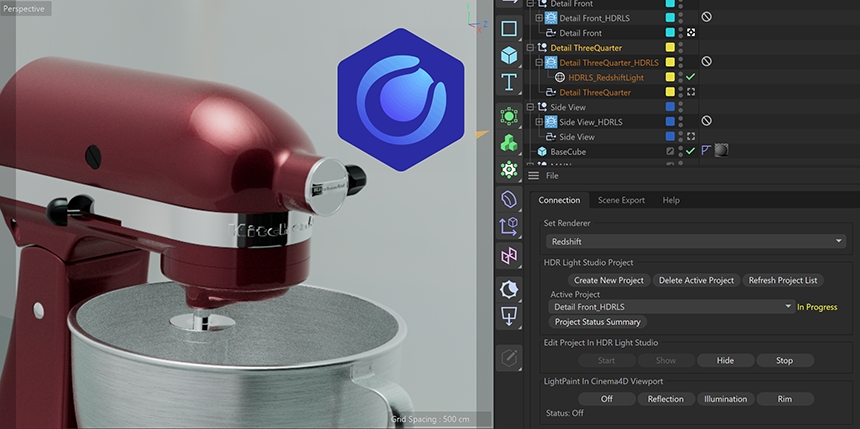
Lighting projects now live inside their product groups, and each one shows its status in the Connection panel.
Critical notice for Cinema 4D plugin users: Cinema 4D's new built-in MCP server can clash with HDR Light Studio's port. It's unrelated to this release, see how to fix at the bottom of this page.
Select a group before you click Create New Project, and the project is created inside it, named after the group, and placed on its layer. With nothing selected, it’s created at the root of the Objects panel as before.
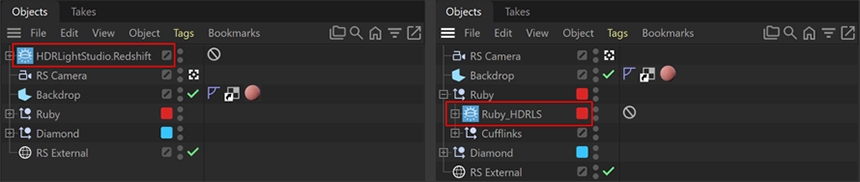
Switching the active project no longer changes visibility or overrides the current Take. Lighting projects light the scene until you turn their visibility off, so you can use several environment lights at once.
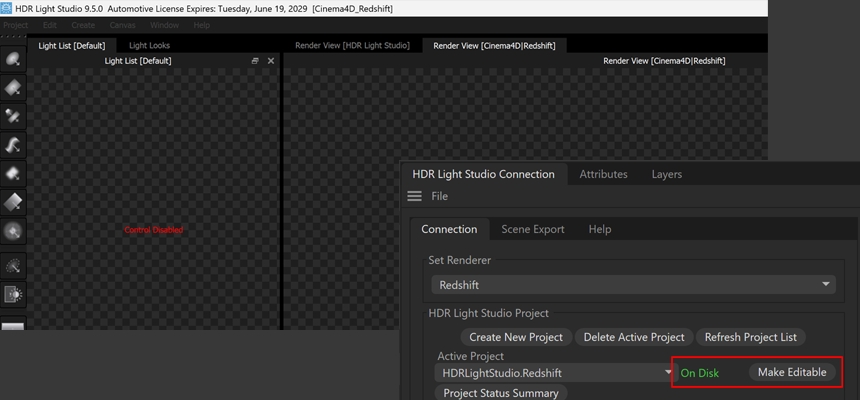
Previously, opening HDR Light Studio, moving a light or changing a parameter could silently switch a project back to temporary proxy lighting. Not anymore. Each project now shows its status next to the Active Project dropdown:

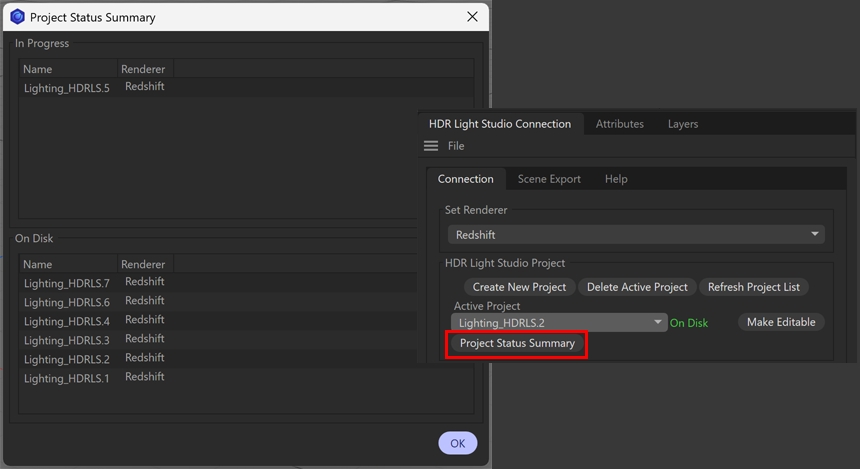
Project Status Summary, in the Connection panel, shows the status of every lighting project in the scene, so you can confirm everything is final before you share or render.
See the release notes for every change
Cinema 4D’s new built-in MCP server uses port 5556 by default, the same port HDR Light Studio uses. If the MCP server is turned on HDR Light Studio can't start.
The fix: Change the MCP port in Cinema 4D's preferences to anything other than 5555, 5556, 5557 or 5558, which HDR Light Studio uses. If you use an AI app with Cinema 4D, update it to the new port too. Full steps in the release notes.
Build 2026.1029 was released on 6th November. Log in to update the plug-in.