

How does it work?
HDR Light Studio allows you to light your 3D scenes using a mixture of 2 methods:
• Area Lights - with a click of a button, HDR Light Studio will create HDR textured area lights for you, including shader network.
• HDRI Environment Maps – with HDR Light Studio you can create HDRI Maps from scratch or edit existing ones.
Compared to traditional lighting methods, the lighting process in HDR Light Studio is a lot more precise. You can position the light by clicking and dragging directly on your 3D scene in the render view.
Is it for me?
• Focus on being creative, not technical - lighting made easy
• There's no guesswork, you'll get desired lighting effects instantly - speed up your workflow
• Huge amount of lighting content (over 1,000 presets) - unlimited lighting designs
• Say no to generic HDRI maps and design custom lighting for your 3D scenes - improve your lighting
• Store all of your HDRI Maps and HDR lights in one place - manage and organize easily
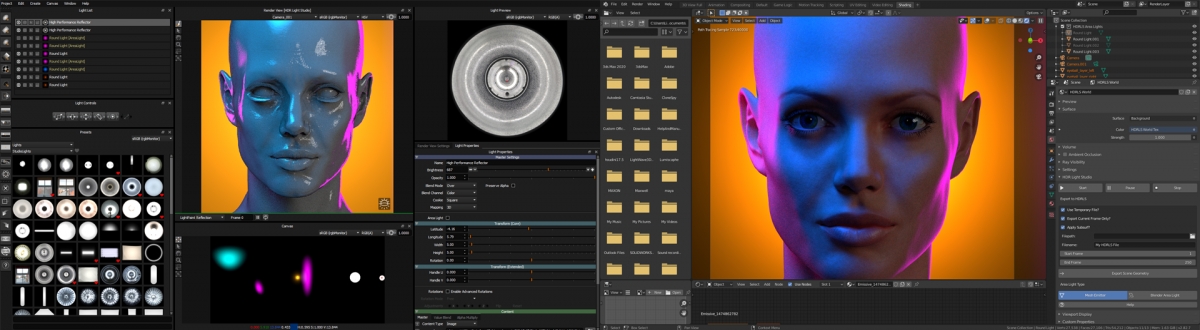
It's very likely that HDR Light Studio already connects to your 3D software!
Connection Plugins available for 3ds Max, Maya, Cinema 4D, Modo, Houdini, LightWave 3D, VRED, Octane Standalone, Rhino, SOLIDWORKS Visualize, Maxwell Studio, DeltaGen, Coming soon to Blender
How do I get it?
Indie and Pro licenses available. Prices start at £95 €125 $140
Compatible with Windows, MacOS and Linux
Get 15% off with the following promo code: 3dworld261
Offer expires 1st August 2020
Try for free before you buy...
Sign up below, and we will send you everything you need to your email.
